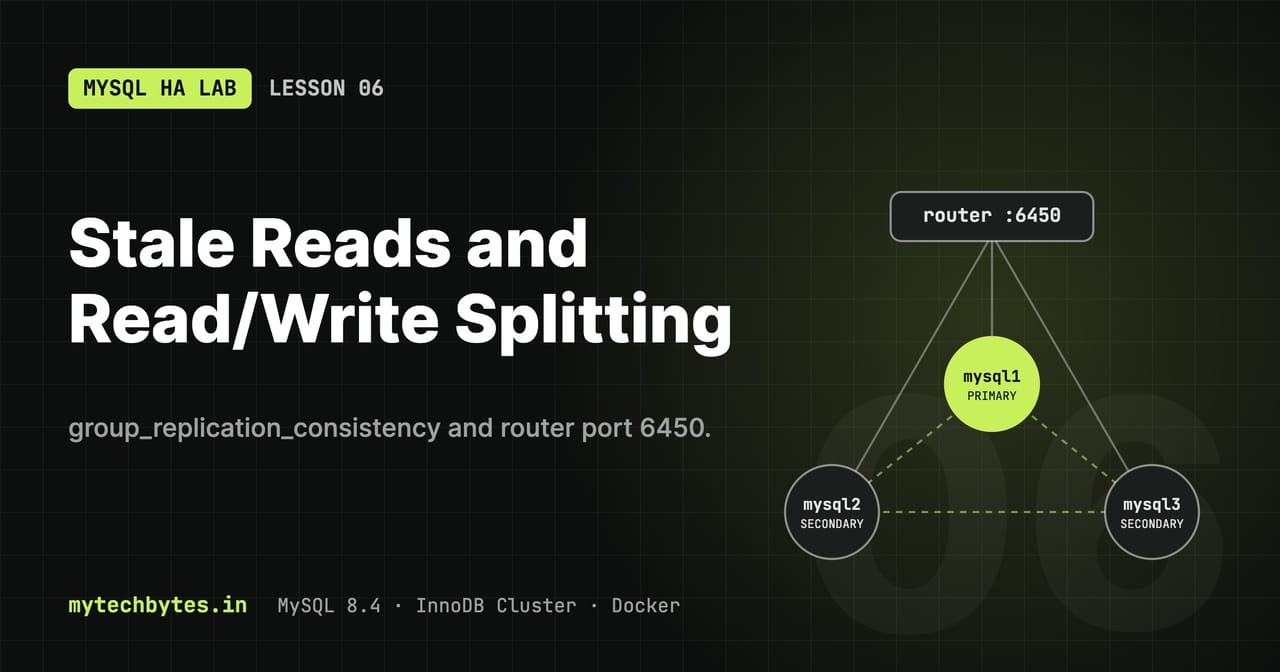
05-consistency on GitHub. Previous: Lesson 5: Highly available routing with HAProxy.Group Replication commits a transaction on the primary once a majority has received it, not once the secondaries have applied it. So a read sent to a secondary straight after a write can return old data. This lesson makes that happen on purpose, then fixes it with group_replication_consistency, and shows MySQL Router's read/write splitting port, which sends reads to secondaries automatically.
What changes in this lesson
| File | Change |
|---|---|
haproxy/haproxy.cfg | New frontend mysql_rwsplit on :6450 and backend routers_rwsplit (router port 6450) |
docker-compose.yml | router-lb publishes 6450:6450 |
scripts/helpers.sh | New helpers mstall (make a secondary lag) and r (SQL through port 6450) |
HAProxy ports after this lesson
router-lb (container mysql-router) now publishes four ports. Each maps the same number on your laptop to HAProxy; the three MySQL ports are passed in TCP mode to the same port on mysql-router1 or mysql-router2, and the router picks the MySQL node.
    ports:
      - "6446:6446"
      - "6447:6447"
      - "6450:6450"
      - "8404:8404"
| Port | HAProxy frontend → backend | Router port | Where the connection ends up | Use it for |
|---|---|---|---|---|
| 6446 | mysql_rw → routers_rw | 6446 read/write | Always the primary | Writes, and reads that must see the latest data |
| 6447 | mysql_ro → routers_ro | 6447 read-only | A secondary, spread across them | Reads that can lag slightly: reports, lists |
| 6450 | mysql_rwsplit → routers_rwsplit | 6450 read/write splitting | Chosen per statement: plain SELECT → secondary; writes and transactions → primary; START TRANSACTION READ ONLY → secondary | One connection for the app, Router does the routing |
| 8404 | stats (HTTP, not MySQL) | none | HAProxy itself | /stats page for router health, /metrics for Prometheus |
- HAProxy only chooses a healthy router (
check inter 2s fall 2 rise 2,leastconn); it never sees SQL. Routing to primary or secondary is done by the router. - The routers' X Protocol ports 6448/6449 (MySQL Shell, X DevAPI) are not published, because nothing in the lab uses them.
- From your laptop use
localhost:<port>; inside the Docker network (the helpers) usemysql-router:<port>.
Apply it:
docker compose up -d --force-recreate router-lb
source scripts/helpers.sh
r "SELECT @@hostname"
6.1 Why reads can be stale
sequenceDiagram
    participant C as Client
    participant P as Primary
    participant S as Secondary
    C->>P: INSERT (v = x)
    P->>S: transaction into the relay log
    S-->>P: received (majority)
    P-->>C: COMMIT OK
    C->>S: SELECT ... WHERE v = x
    alt consistency EVENTUAL
        S-->>C: 0 rows (applier not there yet)
    else consistency BEFORE
        S->>S: wait until the applier has caught up
        S-->>C: 1 row
    end
S->>S: applier writes the rowclient ── INSERT ──> primary ──(binlog event)──> secondary: relay log ─> applier ─> table
│ ▲
└── COMMIT returns once a majority └── a read here can run
has the event in its relay log before the applier has
reached the new row
Normally the applier is milliseconds behind, so you rarely see it. Under load, a long query, or a lock on the secondary, the gap grows to seconds.
To make the gap visible, mstall holds LOCK TABLES app.t READ on a secondary. Reads still work, but the applier cannot write to app.t until the lock is released:
mstall mysql3 30 & # mysql3 lags for 30 seconds
mstall refuses to run on the primary: locking the primary blocks client writes, which tests something else.
6.2 Read/write splitting (port 6450)
flowchart TD
    q(["Statement on port 6450"]) --> tx{"Inside a transaction?"}
    tx -- "START TRANSACTION READ ONLY" --> sec[("a SECONDARY")]
    tx -- "START TRANSACTION / BEGIN" --> pri[("the PRIMARY")]
    tx -- no --> kind{"Statement type"}
    kind -- "plain SELECT" --> sec
kind -- "INSERT / UPDATE / DELETE / DDL" --> priMySQL Router 8.4 has a read/write splitting port, 6450. It looks at each statement and decides:
| Statement | Goes to |
|---|---|
A plain SELECT outside a transaction | a secondary |
INSERT, UPDATE, DELETE, DDL | the primary |
Anything in START TRANSACTION / BEGIN | the primary, for the whole transaction |
START TRANSACTION READ ONLY | a secondary, for the whole transaction |
It only exists on the classic protocol, and it relies on Router's connection sharing. Router 8.2+ creates it at bootstrap, so the routers in this lab already listen on 6450; this lesson only publishes it through HAProxy. Ports 6446 and 6447 still work as before.
Tests:
r "SELECT @@hostname"                                                  # mysql2 or mysql3
r "START TRANSACTION; SELECT @@hostname; COMMIT"                       # mysql1 (primary)
r "START TRANSACTION READ ONLY; SELECT @@hostname; COMMIT"             # a secondary
Read/write splitting does not fix stale reads. A SELECT right after an INSERT on the same connection can land on a lagging secondary, which is exactly the problem from 6.1.
6.3 group_replication_consistency
This setting decides who waits, and for what. It can be set globally or per session, so one critical query can ask for strong consistency while the rest stays fast.
| Level | What waits | Use it for |
|---|---|---|
EVENTUAL | Nothing. Reads on a secondary may be stale | High read throughput where a little lag is fine |
BEFORE_ON_PRIMARY_FAILOVER (default in 8.4) | A newly elected primary waits to apply its backlog before taking new transactions | Safe default: no stale reads on a new primary after failover |
BEFORE | The read waits until the node has applied everything committed before it | "Read your writes" on a secondary, paid only by the reads that ask for it |
AFTER | The write waits until every ONLINE member has applied it | Writes that must be visible everywhere before the client continues |
BEFORE_AND_AFTER | Both | Strictest; slowest |
The cost moves: BEFORE makes reads slow, AFTER makes writes slow. With AFTER, one lagging member slows every write by the lag of the slowest node.
6.4 Test: see a stale read, then fix it
Lock both secondaries, otherwise a read might land on the healthy one and hide the problem:
mstall mysql2 30 & mstall mysql3 30 &
sleep 2
x=$RANDOM$RANDOM            # unique value, so we count exactly our row
Use COUNT(*) WHERE v=$x, not MAX(v): older test rows can already hold a higher value and make every read look fresh.
EVENTUAL: stale read
w "INSERT INTO app.t (v) VALUES ($x)"
r "SET SESSION group_replication_consistency='EVENTUAL'; SELECT @@hostname, COUNT(*) FROM app.t WHERE v=$x"
Result in this lab: mysql3 0. The row is committed but the secondary does not have it yet.
BEFORE: the read waits
mstall mysql2 30 & mstall mysql3 30 &
sleep 2; x=$RANDOM$RANDOM
w "INSERT INTO app.t (v) VALUES ($x)"
time ( MH_TIMEOUT=60 r "SET SESSION group_replication_consistency='BEFORE'; SELECT @@hostname, COUNT(*) FROM app.t WHERE v=$x" )
Result: mysql2 1 after 28.7 s. The read blocked until the lock was gone and the applier had caught up, then returned the correct row.
AFTER: the write waits
mstall mysql2 30 & mstall mysql3 30 &
sleep 2; x=$RANDOM$RANDOM
time ( MH_TIMEOUT=60 m -e "SET SESSION group_replication_consistency='AFTER'; INSERT INTO app.t (v) VALUES ($x)" )
r "SELECT @@hostname, COUNT(*) FROM app.t WHERE v=$x"     # 1 immediately, on any node
Result: the INSERT took 28.8 s. It returned only after both secondaries had applied it, so every read afterwards is fresh.
In zsh, time does not measure shell functions; wrap them in ( ... ) as above. Raise MH_TIMEOUT for these tests, because the default 15 s would kill the waiting call.
6.5 How long can a read or write wait?
A BEFORE read or an AFTER write waits until the lagging members catch up, bounded by the session's wait_timeout (8 hours by default). After that the statement fails with an error. Hours is far too long for an application, so:
- set the level per session on the queries that need it, not globally;
- give the client its own timeout (Lesson 3), as
MH_TIMEOUTdoes here.
What you learned
- A committed write can be invisible on a secondary for as long as its applier lags.
- Router port 6450 sends plain reads to secondaries and transactions to the primary; it does not guarantee fresh reads.
BEFOREmakes the read wait,AFTERmakes the write wait; measured here at about 29 s each with a 30 s lag.- Choose the level per session, and always give clients a timeout.
The MySQL HA Lab series
- Series introduction
- Lesson 1: Environment and SQL helpers
- Lesson 2: A self-bootstrapping InnoDB Cluster
- Lesson 3: Failover, quorum and recovery
- Lesson 4: Monitoring with Prometheus and Grafana
- Lesson 5: Highly available routing with HAProxy
- Lesson 6: Stale reads and read/write splitting (you are here)
- Lesson 7: Failover tuning, switchover and partitions
- Lesson 8: A Spring Boot app that survives failover
- Lesson 9: The same app in Go
- Bonus: Operations and troubleshooting
All code is on GitHub: mytechbytes/mysql-ha-lab. Questions or a different result in your lab? Leave a comment below.