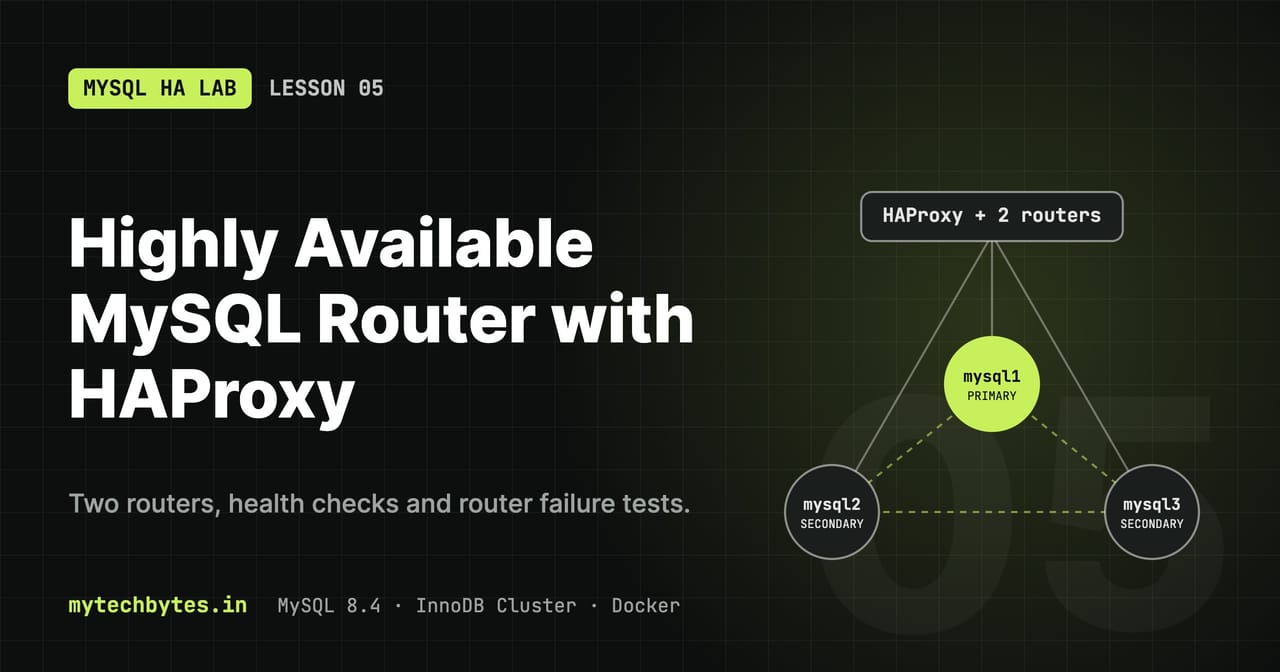
03-multi-router on GitHub. Previous: Lesson 4: Monitoring with Prometheus and Grafana.A single MySQL Router is a single point of failure: the database survives losing a node, but if the router dies, no client can reach any of them. This lesson runs two routers behind HAProxy.
flowchart TB
    c(["Clients"]) -->|"mysql-router:6446 / :6447"| h["HAProxy (mysql-router)<br/>TCP health checks · stats :8404"]
    h -->|"leastconn"| r1["mysql-router1"]
    h -->|"leastconn"| r2["mysql-router2"]
    r1 & r2 -->|"writes"| p[("PRIMARY")]
r1 & r2 -.->|"reads"| s[("SECONDARIES")]Naming trick: the HAProxy container keeps the name mysql-router. Everything that connected to the single router (monitoring-init, the helpers) keeps working, now load-balanced.
Ways to make routing highly available
| Approach | How | When |
|---|---|---|
| Router as sidecar | One router on every client host; clients connect to localhost | Oracle's recommended pattern. A dead router only affects its own host. |
| Routers behind a load balancer (this lesson) | HAProxy or a cloud LB in front of 2+ routers | One shared address for many clients |
| Client-side failover | The connection string lists several router addresses, tried in order | Simple, but every client must be configured |
Files in this lesson
docker-compose.yml       # x-router anchor, router1, router2, router-lb
haproxy/haproxy.cfg      # load balancer config
monitoring/prometheus.yml  # + haproxy scrape job
monitoring/grafana/dashboards/  # routers panels (now in 3-routers-haproxy.json and 1-overview.json)
.editorconfig            # guarantees the final newline HAProxy needs
The routers
x-router: &router
  image: container-registry.oracle.com/mysql/community-router:8.4
  restart: unless-stopped
  depends_on:
    cluster-init:
      condition: service_completed_successfully
  environment:
    MYSQL_HOST: mysql1
    MYSQL_PORT: 3306
    MYSQL_USER: ${CLUSTER_ADMIN}
    MYSQL_PASSWORD: ${CLUSTER_ADMIN_PASSWORD}
    MYSQL_INNODB_CLUSTER_MEMBERS: 3
  networks: [cluster]

  router1:
    <<: *router
    container_name: mysql-router1
    hostname: mysql-router1
  router2:
    <<: *router
    container_name: mysql-router2
    hostname: mysql-router2
| Key | Meaning |
|---|---|
image | Oracle's official MySQL Router 8.4 image (Docker Hub has none) |
restart: unless-stopped | Comes back after a crash or a Docker restart |
condition: service_completed_successfully | Starts only after cluster-init exited 0, so the cluster metadata exists |
MYSQL_HOST / MYSQL_PORT | Member used to bootstrap: the router reads the cluster metadata from it and writes its own config. Only used at startup; afterwards the router follows the whole topology. |
MYSQL_USER / MYSQL_PASSWORD | Account used for the bootstrap (needs metadata access, so the cluster admin) |
MYSQL_INNODB_CLUSTER_MEMBERS: 3 | The entrypoint waits until this many members are ONLINE before bootstrapping |
hostname | Required. Each router registers in the metadata under its hostname. Without it, every new container registers under a random ID and stale entries pile up. |
no ports: | Routers are reachable only inside the network; only HAProxy is published |
Each router listens on:
| Port | Purpose |
|---|---|
| 6446 | Classic protocol, read/write → primary. While there is no primary (during a failover) the router stops listening on this port and resumes once a new primary exists. |
| 6447 | Classic protocol, read-only → secondaries (round-robin) |
| 6448 / 6449 | X Protocol, read/write / read-only |
| 6450 | Read/write splitting: SELECTs to secondaries, writes to the primary on one connection (not exposed through HAProxy) |
Registered routers
echo "$CLUSTER_ADMIN_PASSWORD" | docker exec -i mysql1 mysqlsh --js --passwords-from-stdin "$CLUSTER_ADMIN"@mysql1:3306 \
  -e "print(dba.getCluster().listRouters())"      # after: source scripts/helpers.sh
A healthy router's lastCheckIn is seconds old. Remove a stale entry (e.g. the old single router, named after its container ID):
echo "$CLUSTER_ADMIN_PASSWORD" | docker exec -i mysql1 mysqlsh --js --passwords-from-stdin "$CLUSTER_ADMIN"@mysql1:3306 \
  -e "dba.getCluster().removeRouterMetadata('<name exactly as listed, e.g. 86753a7c61ad::>')"
The load balancer service
  router-lb:
    image: haproxy:3.0
    container_name: mysql-router
    hostname: mysql-router
    restart: unless-stopped
    depends_on: [router1, router2]
    volumes:
      - ./haproxy/haproxy.cfg:/usr/local/etc/haproxy/haproxy.cfg:ro
    ports:
      - "6446:6446"
      - "6447:6447"
      - "8404:8404"
    networks: [cluster]
| Key | Meaning |
|---|---|
image: haproxy:3.0 | HAProxy 3.0 LTS. Runs as a non-root user, so the config must be world-readable (chmod -R a+rX haproxy). |
container_name / hostname: mysql-router | Takes over the old router's name |
depends_on | Start order only. HAProxy copes with routers that aren't up yet (see init-addr below). |
| config mount | The image reads /usr/local/etc/haproxy/haproxy.cfg |
ports | 6446/6447 for clients, 8404 for the stats page and metrics |
haproxy/haproxy.cfg
global and defaults
global
    log stdout format raw local0

defaults
    mode tcp
    log global
    option tcplog
    timeout connect 5s
    timeout client  1h
    timeout server  1h
| Setting | Meaning |
|---|---|
log stdout format raw local0 | Logs to stdout, so docker logs mysql-router shows them |
mode tcp | Layer-4 pass-through. HAProxy doesn't understand MySQL; it forwards bytes. Routing decisions stay with MySQL Router. |
log global / option tcplog | Use the global log target; one line per connection with timings and bytes |
timeout connect 5s | Max time to open a connection to a router |
timeout client 1h / server 1h | Max idle time on an open connection. Long, so idle pooled connections aren't cut; lower it if your pool validates connections. |
resolvers
resolvers docker
    nameserver dns 127.0.0.11:53
    hold valid 5s
| Setting | Meaning |
|---|---|
nameserver dns 127.0.0.11:53 | Docker's embedded DNS, which resolves container names |
hold valid 5s | Re-resolve names every 5s, so a recreated router container (new IP) is found again |
Frontends: what clients connect to
frontend mysql_rw
    bind :6446
    default_backend routers_rw

frontend mysql_ro
    bind :6447
    default_backend routers_ro
| Frontend | Port | Sends to |
|---|---|---|
mysql_rw | 6446 | routers_rw, port 6446 on each router → primary |
mysql_ro | 6447 | routers_ro, port 6447 on each router → secondaries |
Lesson 6 adds a third MySQL frontend, mysql_rwsplit on 6450. See HAProxy ports after Lesson 6 for the full table.
Backends: the routers
backend routers_rw
    balance leastconn
    default-server check inter 2s fall 2 rise 2 resolvers docker init-addr last,libc,none on-marked-down shutdown-sessions
    server router1 mysql-router1:6446
    server router2 mysql-router2:6446
| Setting | Meaning |
|---|---|
balance leastconn | New connection goes to the router with the fewest open connections (good for long-lived DB connections) |
default-server | Options applied to every server line below |
check | Health-check each router (TCP connect) |
inter 2s | Check every 2 seconds |
fall 2 / rise 2 | 2 failed checks → DOWN, 2 successful → UP (~4s either way) |
resolvers docker | Resolve router names through Docker DNS at runtime |
init-addr last,libc,none | At startup try the last known address, then normal DNS, then start anyway with the server disabled. Without none, HAProxy refuses to start when a router doesn't exist yet. |
on-marked-down shutdown-sessions | When a router goes DOWN, close its connections at once, so clients reconnect through the healthy router instead of hanging |
server router1 mysql-router1:6446 | Name shown on the stats page, and the router address |
routers_ro is identical with port 6447.
Lesson 7 measures what these checks add to a failover and changes them to inter 1s fall 2 rise 1 (7.3c).
Health checks are plain TCP. They detect a dead router quickly. Whether a primary exists is the router's job, not HAProxy's.
Stats and metrics
frontend stats
    mode http
    bind :8404
    stats enable
    stats uri /stats
    stats refresh 5s
    http-request use-service prometheus-exporter if { path /metrics }
| Setting | Meaning |
|---|---|
mode http | This frontend speaks HTTP (overrides defaults) |
stats enable / stats uri /stats | Web page at http://localhost:8404/stats: green = UP, red = DOWN, Cur = open sessions |
stats refresh 5s | Page auto-refresh |
use-service prometheus-exporter if { path /metrics } | Built-in Prometheus exporter on /metrics |
The final newline
haproxy.cfg must end with a newline. Without it HAProxy assumes the file was truncated, logs Missing LF on last line, and refuses to start. .editorconfig (insert_final_newline = true) prevents this in most editors.
Validate the config
Run inside the network, so router names resolve:
docker run --rm --network "$NETWORK_CLUSTER_NAME" \
  -v ./haproxy/haproxy.cfg:/tmp/h.cfg:ro haproxy:3.0 haproxy -c -f /tmp/h.cfg; echo "exit: $?"
| Result | Meaning |
|---|---|
no output, exit: 0 | Valid, both routers resolvable |
only [NOTICE] could not resolve address, exit: 0 | Valid; a router isn't running (or you ran it without --network) |
[ALERT], exit: 1 | Real error; HAProxy won't start |
After editing: docker compose restart router-lb.
Router tests
sequenceDiagram
    participant C as Client
    participant H as HAProxy
    participant R1 as mysql-router1
    participant R2 as mysql-router2
    Note over R1: docker kill mysql-router1
    H-xR1: health check fails (1)
    H-xR1: health check fails (2): DOWN
    H--xC: shutdown-sessions closes its connections
    C->>H: reconnect
    H->>R2: route to the healthy router
    R2-->>C: OK, writes continue
Note over R1: docker start: good checks, UP againUses the helpers from Lesson 1 (source scripts/helpers.sh). Keep http://localhost:8404/stats or the Grafana dashboard open.
1. Connections are spread across both routers
for i in $(seq 1 20); do w "SELECT SLEEP(5)" >/dev/null & done; sleep 2
On the stats page, Cur sessions are split roughly evenly between router1 and router2.
2. Losing one router doesn't stop the writes
# terminal 1
txloop

# terminal 2
docker kill mysql-router1
sleep 15
docker start mysql-router1
At most one or two FAIL lines (connections open on router1 at that moment); grep -c ' FAIL ' tx.log counts them. router1 turns red within ~4s and green after the restart; writes continue through router2.
3. Router failure and database failover together
docker kill mysql-router2
P=$(q 6446); docker kill "$P"
# writes pause ~10–15s (database failover), then continue through router1 to the new primary
docker start mysql-router2 "$P"
4. Both routers down (the limit)
docker kill mysql-router1 mysql-router2     # every write fails: no path to the database
docker start mysql-router1 mysql-router2    # back after the health checks pass (~4s)
Router panels
Code: branch 04-router-monitoring
monitoring/prometheus.yml scrapes HAProxy:
  - job_name: haproxy
    static_configs:
      - targets: ["mysql-router:8404"]
The dashboard's MySQL Routers (via HAProxy) section:
| Panel | Metric |
|---|---|
| Healthy routers R/W, R/O | haproxy_backend_active_servers{proxy="routers_rw"} (and routers_ro) |
| Client sessions via load balancer | haproxy_frontend_current_sessions{proxy=~"mysql_rw|mysql_ro"} |
| Health-check failures (15m) | increase(haproxy_server_check_failures_total[15m]) |
| Router up/down | haproxy_server_status{proxy="routers_rw", state="UP"} |
| Open sessions per router | haproxy_server_current_sessions |
| New connections/sec per router | rate(haproxy_server_sessions_total[...]) |
| Connection errors & check failures | haproxy_server_connection_errors_total, haproxy_server_check_failures_total |
During test 2 you see Healthy routers drop to 1 (orange), router1's up/down line drop to 0, and all sessions move to router2.
The MySQL HA Lab series
- Series introduction
- Lesson 1: Environment and SQL helpers
- Lesson 2: A self-bootstrapping InnoDB Cluster
- Lesson 3: Failover, quorum and recovery
- Lesson 4: Monitoring with Prometheus and Grafana
- Lesson 5: Highly available routing with HAProxy (you are here)
- Lesson 6: Stale reads and read/write splitting
- Lesson 7: Failover tuning, switchover and partitions
- Lesson 8: A Spring Boot app that survives failover
- Lesson 9: The same app in Go
- Bonus: Operations and troubleshooting
All code is on GitHub: mytechbytes/mysql-ha-lab. Questions or a different result in your lab? Leave a comment below.