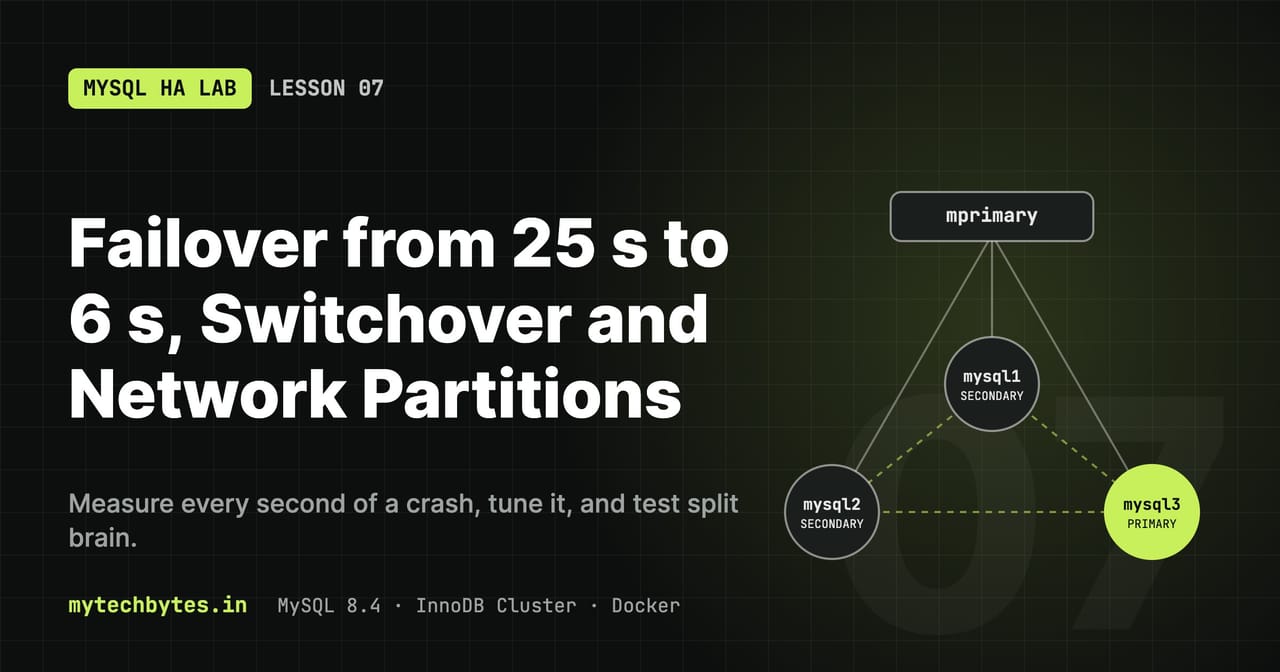
06-failover-tuning on GitHub. Previous: Lesson 6: Stale reads and read/write splitting.Lesson 3 measured an unplanned failover: about 17 seconds without writes. This lesson shows the planned alternative (switchover), how to decide which node becomes the next primary, where the failover seconds go, and which settings change them.
What changes in this lesson
| File | Change |
|---|---|
scripts/helpers.sh | mprimary (switchover), mjs (any AdminAPI command), mgrvars (failover settings per node), mevents (failover timeline from all logs), mnode (SQL inside a node's container), mcut / mjoin (network partition); docker exec calls set LC_ALL=C.UTF-8 |
scripts/init-cluster.js | Applies expelTimeout, autoRejoinTries and unreachable_majority_timeout on every run (7.5) |
haproxy/haproxy.cfg | Health checks inter 1s fall 2 rise 1 instead of inter 2s fall 2 rise 2 (7.3c) |
Runtime only (mjs) | memberWeight 80 on mysql3 during 7.2; reset at the end |
source scripts/helpers.sh
mgrvars
node    expel  rejoin exit_action     weight unreachable_majority
mysql1  5      3      OFFLINE_MODE    50     0
mysql2  5      3      OFFLINE_MODE    50     0
mysql3  5      3      OFFLINE_MODE    50     0
| Column | Variable | AdminAPI option | Meaning |
|---|---|---|---|
| expel | group_replication_member_expel_timeout | expelTimeout | Extra seconds to wait, after a member is suspected (5 s of silence), before expelling it |
| rejoin | group_replication_autorejoin_tries | autoRejoinTries | How many times an expelled member tries to rejoin by itself |
| exit_action | group_replication_exit_state_action | exitStateAction | What a member that drops out does: OFFLINE_MODE (refuse clients), READ_ONLY, ABORT_SERVER |
| weight | group_replication_member_weight | memberWeight | Election priority, 0–100; highest wins |
| unreachable_majority | group_replication_unreachable_majority_timeout | none (SQL) | Seconds a member cut off in a minority waits before leaving; 0 = forever |
mjs runs any AdminAPI command with cluster already defined:
mjs "print(cluster.options())"
mjs "cluster.setOption('expelTimeout', 0)"                         # every member
mjs "cluster.setInstanceOption('mysql3:3306', 'memberWeight', 80)" # one member
AdminAPI writes these with SET PERSIST, so they survive a restart (they live in mysqld-auto.cnf in the data volume), but not docker compose down -v.
7.1 Planned switchover
sequenceDiagram
    participant A as Admin (mprimary)
    participant O as Old primary
    participant N as New primary
    participant R as Routers
    participant C as Client
    A->>O: setPrimaryInstance('mysql2:3306')
    O->>O: finish open transactions
    O->>O: super_read_only = ON
    N->>N: apply backlog, super_read_only = OFF
    O-->>R: topology change notification
    C->>O: INSERT on a just-opened connection
    O--xC: ERROR 1290 (read-only), retryable
    R->>N: port 6446 now leads here
    C->>N: retry INSERT
N-->>C: OKWhen you know the primary has to go (maintenance, upgrade, moving load), don't stop it: hand the primary role over first.
# terminal 1
txloop

# terminal 2
mprimary mysql2          # cluster.setPrimaryInstance('mysql2:3306')
q 6446                   # mysql2
mprimary mysql1          # and back
What happens: the old primary finishes its open transactions, turns super_read_only on, the new one applies any backlog and turns it off, and the routers get notified and move port 6446.
Result in this lab:
17:45:36  FAIL  #23  ERROR 1290 (HY000) ... running with the --read-only option
17:45:37  OK    #24  node=mysql2
17:45:38  FAIL  #26  ERROR 1290 (HY000) ... running with the --read-only option
17:45:38  OK    #27  node=mysql1
One failed transaction per switch, under a second. 1290 means a new connection reached the old primary just after it became read-only and before the router moved. Nothing is lost; retrying works. Applications should treat 1290 as retryable (Lesson 8).
Compare: a crash of the primary costs about 17–25 seconds (7.2). So for any planned work, switch over first, then stop the node.
7.2 Choosing the next primary: memberWeight
On failover the group elects the member with the highest memberWeight; ties are broken by the lowest server_uuid, which is effectively random. Use weights to prefer a node (bigger machine, same zone as the app) and to keep a node from becoming primary (weight 0, for example a reporting replica).
# terminal 1: txloop running
mjs "cluster.setInstanceOption('mysql3:3306', 'memberWeight', 80)"
mgrvars                          # mysql3 weight 80
docker kill mysql1               # crash the primary
sleep 20; q 6446                 # mysql3
docker start mysql1; sleep 20; members mysql2   # mysql1 rejoins as SECONDARY
mprimary mysql1 mysql2           # mysql1 primary again (run via mysql2)
A restarted member does not take the primary role back on its own, even with a higher weight. Election only happens when the primary leaves; the switch back is a deliberate mprimary.
Result in this lab: the new primary was mysql3, and writes stopped for 25 seconds:
| Time | What happened | What the client saw |
|---|---|---|
| 17:45:47 | docker kill mysql1 | 2013 Lost connection ... reading authorization packet |
| 17:45:47–48 | Router still sends to mysql1, which is gone | 2003 Can't connect to remote MySQL server |
| 17:45:48–53 | One connection attempt waits for the 5 s --connect-timeout | 2013 ... system error: 110 |
| 17:45:53–46:11 | No primary, so both routers close port 6446 and HAProxy marks both routers down. With no backend, HAProxy accepts and closes at once | 2013 ... reading initial communication packet |
| 17:46:12 | First commit on mysql3 | OK node=mysql3 |
| 17:46:29 | mprimary mysql1 | 2 × 1290, then OK node=mysql1 |
Lesson 3 measured about 17 s. 7.3 takes these 25 s apart using the logs.
Reset the weight afterwards:
mjs "cluster.setInstanceOption('mysql3:3306', 'memberWeight', 50)"
7.3 Where the failover seconds go
flowchart LR
    k(["Primary crashes"]) --> d["Detection<br/>5 s, fixed"]
    d --> e["Suspicion, expel, election<br/>16 s default · 1 s with expelTimeout 0"]
    e --> r["Routers see the new primary<br/>~0.2 s"]
    r --> h["HAProxy marks routers UP<br/>~3 s (inter 2s rise 2) · under 1 s (inter 1s rise 1)"]
h --> ok(["Writes resume<br/>25 s default · ~6 s tuned"])mevents collects the important lines from the logs of the three nodes, both routers and HAProxy, and sorts them by time. Docker log times are UTC, so add 5:30 to compare them with tx.log (IST):
mevents 3m                         # last 3 minutes
mevents 2026-10-17T12:15:45Z       # from a fixed time
Default settings (the crash from 7.2)
| UTC | +s | Event | Logged by |
|---|---|---|---|
| 12:15:47.8 | 0 | Both routers stop accepting on 6446: resolve(mysql1) failed (Docker removed the dead container's DNS name) | routers |
| 12:15:50.1 / 51.7 | 2–4 | HAProxy: router2, router1 DOWN (fall 2 × inter 2s), "no server available" | HAProxy |
| 12:15:52.9 | 5 | "mysql1 has become unreachable": 5 s without messages | mysql3 |
| 12:16:08.9 | 21 | "Members removed" → "new primary mysql3 elected" → "working as primary", within 3 ms | mysql3 |
| 12:16:08.9 / 09.1 | 21 | Both routers start accepting on 6446 | routers |
| 12:16:11.7 / 12.2 | 24 | HAProxy: router1, router2 UP (rise 2 × inter 2s) | HAProxy |
| 12:16:12 | 25 | First commit on mysql3 | tx.log |
| Phase | Seconds | Controlled by |
|---|---|---|
| Detection | 5 | Fixed: a member is suspected after 5 s of silence |
| Suspicion → expel → election | 16 | expelTimeout (5 s), plus waiting for the next suspicion check |
| Routers notice the new primary | 0.2 | Group Replication notifies the routers immediately |
| HAProxy sees the routers again | 3 | inter 2s rise 2 in haproxy.cfg |
Phase 2 took 16 s, although expelTimeout is only 5 s. Group Replication's messaging layer processes suspicions periodically, so the expel happens at the first check after the timeout has passed. This is why failover time varies between runs (17 s in Lesson 3, 25 s here).
Two things this shows:
- The routers are not the bottleneck. They react within 200 ms, in both directions.
- In a Docker crash the router fails fast because the DNS name disappears. When a real host dies its address still resolves, so new connections wait for the connect timeout first. That is why clients need timeouts.
7.3b Expel immediately: expelTimeout 0
mjs "cluster.setOption('expelTimeout', 0)"
mgrvars                                    # expel 0 on all three
# terminal 1: txloop     terminal 2:
docker kill mysql1
sleep 30; mevents 1m
docker start mysql1; sleep 20; members mysql2
mprimary mysql1 mysql2
Three runs:
| Phase | Default | expelTimeout 0 run 1 | run 2 |
|---|---|---|---|
| Detection (unreachable) | 5.0 s | 5.2 s | 5.1 s |
| Detection → expel + election | 16.0 s | 1.0 s | 1.0 s |
| Election → routers accept on 6446 | 0.2 s | 0.1–0.4 s | 0.2–0.3 s |
| Routers accept → HAProxy UP | 2.8–3.3 s | 2.3–3.6 s | 3.2–3.9 s |
Writes down (tx.log) | 25 s | 9 s | 10 s |
The suspicion phase drops from 16 s to 1 s, which cuts the outage to about a third. The trade-off: a member that is only slow (a network blip, a long stall) is now expelled after 5 s of silence instead of being given extra time. It then has to rejoin (7.4). On a stable network, expelTimeout 0 to 2 is reasonable; on a shaky one, keep the default or raise it.
7.3c Faster HAProxy checks
With the expel wait gone, HAProxy's rise 2 × inter 2s is now a third of the outage. In haproxy/haproxy.cfg, all three MySQL backends change to:
default-server check inter 1s fall 2 rise 1 resolvers docker init-addr last,libc,none on-marked-down shutdown-sessions
| Setting | Before | After | Effect |
|---|---|---|---|
inter | 2s | 1s | Check every second |
fall | 2 | 2 | Down after 2 failed checks (now 2 s instead of 4 s) |
rise | 2 | 1 | Up after one good check: at most 1 s after the router opens 6446 |
rise 1 is safe here because a router only opens 6446 when it knows a primary; a single good check means it is ready.
docker compose run --rm --no-deps --entrypoint haproxy router-lb -c -f /usr/local/etc/haproxy/haproxy.cfg
docker compose up -d --force-recreate router-lb
# then the same kill test as 7.3b
| UTC | +s | Event |
|---|---|---|
| 13:32:38.9 | 0 | Routers stop accepting on 6446 (mysql1 killed) |
| 13:32:40.8 / 40.9 | 2 | HAProxy: both routers DOWN (fall 2 × 1 s) |
| 13:32:43.2 | 4.3 | mysql1 unreachable |
| 13:32:44.2 | 5.3 | Expelled, mysql3 elected, working as primary |
| 13:32:44.3 | 5.4 | Both routers accept on 6446 |
| 13:32:44.8 / 44.9 | 5.9 | HAProxy: both routers UP |
tx.log: last OK on mysql1 at 19:02:38, first OK on mysql3 at 19:02:45.
Summary
| Settings | Writes down |
|---|---|
Defaults (expelTimeout 5, inter 2s rise 2) | 25 s |
expelTimeout 0 | 9–10 s |
expelTimeout 0 + inter 1s fall 2 rise 1 | ~6 s |
Planned switchover (mprimary) | < 1 s, one retryable error |
What is left is the 5 s detection, which Group Replication does not let you change. Below that, use switchover.
7.4 Network partitions
A crash (docker kill) stops the node. A partition leaves it running but unable to talk to the others: the dangerous case, because both sides are alive and could each think they are in charge.
mcut mysql2      # docker network disconnect: mysql2 keeps running, alone
mjoin mysql2     # docker network connect --alias mysql2: plug it back in
mnode mysql2 "SQL"   # SQL inside the container, works while it is cut off
7.4a Cut off a secondary
# terminal 1: txloop     terminal 2:
mcut mysql2
sleep 15; members mysql1
mnode mysql2 "SELECT MEMBER_HOST, MEMBER_STATE, MEMBER_ROLE FROM performance_schema.replication_group_members"
mnode mysql2 "SELECT COUNT(*) FROM app.t"
sleep 30
mnode mysql2 "SELECT COUNT(*) FROM app.t"
mjoin mysql2
sleep 30; members mysql1; mevents 3m
The same group, seen from both sides:
members mysql1 (majority)              mnode mysql2 (minority)
mysql1  ONLINE  PRIMARY                mysql2  ONLINE       SECONDARY
mysql3  ONLINE  SECONDARY              mysql1  UNREACHABLE  PRIMARY
                                       mysql3  UNREACHABLE  SECONDARY
| UTC | Event |
|---|---|
| 13:39:44 | mcut mysql2 |
| 13:39:50.4 | mysql1, mysql3: "mysql2 has become unreachable" |
| 13:39:50.5 | mysql2: "not able to reach a majority … will now block all updates" |
| 13:39:51.5 | mysql1, mysql3: "Members removed: mysql2" (expelTimeout 0) |
| 13:40:30 | mjoin mysql2 |
| 13:40:47 | mysql2: "resumed contact with a majority" |
tx.log: 344 OK, 0 FAIL during the whole test. Losing a secondary does not affect writes.
What this shows:
- The minority protects itself. mysql2 cannot reach a majority, so it blocks every update. Two primaries (split brain) cannot happen.
- The minority still serves stale reads.
COUNT(*)on mysql2 stayed at 29768 for 30 s while the loop kept inserting on mysql1. A client connected directly to mysql2 gets old data and no error. Router only routes to members of the majority, so clients going through Router are safe; direct connections are not. - With
unreachable_majority_timeout = 0, the minority member waits like this forever.
7.4b Cut off the primary
The split-brain case: the old primary keeps running, alone, while the majority elects a new one.
# terminal 1: txloop     terminal 2:
mcut mysql1
sleep 10; members mysql2
mnode mysql1 "SELECT MEMBER_HOST, MEMBER_STATE, MEMBER_ROLE FROM performance_schema.replication_group_members"
MH_TIMEOUT=10 mnode mysql1 "INSERT INTO app.t (v) VALUES (-1)"; echo "exit=$?"
mnode mysql1 "SELECT @@super_read_only, @@offline_mode"
mjoin mysql1
sleep 180; members mysql2           # reconnecting can take minutes, see below
w "SELECT COUNT(*) FROM app.t WHERE v=-1"
docker logs -t --since 10m mysql1 2>&1 | grep -iE 'expel|rejoin|unreachable|majority|rollback|read only'
Two primaries, seen from each side:
members mysql2 (majority)              mnode mysql1 (minority)
mysql2  ONLINE  SECONDARY              mysql1  ONLINE       PRIMARY
mysql3  ONLINE  PRIMARY                mysql2  UNREACHABLE  SECONDARY
                                       mysql3  UNREACHABLE  SECONDARY
| UTC | Event | Where |
|---|---|---|
| 13:55:57 | mcut mysql1 | |
| 13:55:58.2 | Routers stop accepting on 6446 at once (they can no longer reach the primary) | routers |
| 13:56:03.7 | mysql1: "not able to reach a majority … will now block all updates" | mysql1 |
| 13:56:04.7 | mysql1 expelled, mysql3 elected | mysql2, mysql3 |
| 13:56:05.4 / 05.7 | Routers accept again, HAProxy UP | routers, HAProxy |
| 13:56:18 | mjoin mysql1 | |
| 13:58:23 | mysql1: "resumed contact with a majority" (2 min after the network came back) | mysql1 |
| 13:58:46.7 | mysql1: "expelled … status to ERROR", "transactions … will now rollback", "set into read only mode" | mysql1 |
| 13:58:46.7 | Session 7600 fails in before_commit: the test INSERT (-1) | mysql1 |
| 13:58:46.7 | "Started auto-rejoin procedure attempt 1 of 3" | mysql1 |
| 13:58:51.2 | "Member was able to join the group": mysql1 is ONLINE SECONDARY | mysql1 |
Results:
| Question | Answer |
|---|---|
| Writes through Router | Down 7 s (19:25:58 → 19:26:05 IST), then on mysql3 |
| Does the cut-off primary know it lost? | No. It still calls itself ONLINE PRIMARY, with super_read_only 0 and offline_mode 0 |
| A write sent straight to it | Hangs, no error (exit=124 from the client timeout). The server kept that transaction waiting for 2.5 minutes, until it learned it was expelled and rolled it back |
| Did that write survive? | No: COUNT(*) WHERE v=-1 is 0. No split brain |
| Recovery | Automatic: resumed contact → expelled → rollback → auto-rejoin, 5 s from contact to ONLINE |
Lessons:
- Group Replication never lets two primaries commit. The minority blocks. But "blocks" means hangs: an application connected directly to the old primary freezes instead of failing over. Connect through Router, and give every client a timeout.
- Reconnecting is slow. After the network came back it took 17 s for mysql2 (7.4a) and 2 min for mysql1; the longer a member is cut off, the longer it seems to take. Do not conclude "rejoin failed" too early.
- With
unreachable_majority_timeout = 0the zombie primary waits like this for as long as the partition lasts. 7.4c makes it give up.
If a member does not come back on its own:
MH_TIMEOUT=60 mnode mysql1 "STOP GROUP_REPLICATION; START GROUP_REPLICATION"
# or
docker compose up -d cluster-init   # rejoins any member that is not ONLINE
7.4c Make a cut-off member give up
group_replication_unreachable_majority_timeout is not an AdminAPI option; set it with SQL on every member:
for n in mysql1 mysql2 mysql3; do
  mroot -h $n -P 3306 -e "SET PERSIST group_replication_unreachable_majority_timeout = 10"
done
mgrvars                                         # unreachable_majority 10

# terminal 1: txloop     terminal 2:
mcut mysql1
sleep 20
mnode mysql1 "SELECT MEMBER_HOST, MEMBER_STATE, MEMBER_ROLE FROM performance_schema.replication_group_members"
mnode mysql1 "SELECT @@super_read_only, @@offline_mode"
MH_TIMEOUT=10 mnode mysql1 "INSERT INTO app.t (v) VALUES (-2)"; echo "exit=$?"
mjoin mysql1
sleep 180; members mysql2
docker logs -t --since 10m mysql1 2>&1 | grep -iE 'expel|rejoin|unreachable|majority|rollback|read only|offline'
| UTC | Event on mysql1 |
|---|---|
| 14:06:34 | mcut mysql1 |
| 14:06:39.3 | "not able to reach a majority … will now block all updates … for the next 10 seconds. Unless contact with the majority is restored, after this time the member will error out and leave the group" |
| 14:06:49.3 | "could not reach a majority … for more than 10 seconds. The member will now leave the group", "set into read only mode" |
| 14:06:54 | mjoin mysql1 |
| 14:06:58.1 | "Started auto-rejoin procedure attempt 1 of 3" |
| 14:07:03.4 | "attempt 1 of 3 finished. Member was able to join the group" |
7.4b (unreachable_majority 0) | 7.4c (unreachable_majority 10) | |
|---|---|---|
| Old primary after the cut | ONLINE PRIMARY, forever | ERROR after 10 s |
super_read_only / offline_mode | 0 / 0 | 1 / 0 |
| Direct write to it | Hangs; held on the server for 2.5 min | Fails at once: ERROR 1290 … --super-read-only |
| Back in the group after the network returns | ~2.5 min | 9 s (auto-rejoin) |
offline_mode stays 0 although exitStateAction is OFFLINE_MODE. Our reading: while auto-rejoin attempts remain, the member is only made read-only; the exit state action applies once all autoRejoinTries attempts have failed.
Recommendation: set unreachable_majority_timeout. A member that cannot reach a majority is useless as a primary; failing fast is better for every client than hanging.
7.5 Making the tuning permanent
Everything set with mjs or SET PERSIST lives in the data volumes (mysqld-auto.cnf) and is lost with docker compose down -v. So scripts/init-cluster.js now applies the tuning at the end of every run:
// 4. Failover tuning (Lesson 7)
const EXPEL_TIMEOUT        = 0;   // expel 0 s after a member is suspected (default 5)
const UNREACHABLE_MAJORITY = 10;  // a cut-off minority leaves after 10 s (default 0 = never)
const AUTO_REJOIN_TRIES    = 3;   // expelled members try to rejoin by themselves (default 3)

cluster.setOption('expelTimeout', EXPEL_TIMEOUT);
cluster.setOption('autoRejoinTries', AUTO_REJOIN_TRIES);
// unreachable_majority_timeout is not an AdminAPI option: SQL on each node
SET PERSIST group_replication_unreachable_majority_timeout = 10
| Setting | Lab value | Why |
|---|---|---|
expelTimeout | 0 | 25 s → 9 s failover (7.3b). Raise it on a less stable network |
unreachable_majority_timeout | 10 | A cut-off primary fails fast instead of hanging (7.4c) |
autoRejoinTries | 3 | Default; members come back after a partition by themselves |
memberWeight | not set (50) | Equal nodes in this lab; set it per instance when one should be preferred |
It is wrapped in try/catch: if a member is not ONLINE, the cluster still comes up and the log says Tuning NOT applied. Run cluster-init again once all members are back.
Test without losing data: undo the settings by hand, then let cluster-init put them back:
mjs "cluster.setOption('expelTimeout', 5)"
for n in mysql1 mysql2 mysql3; do
  mroot -h $n -P 3306 -e "SET PERSIST group_replication_unreachable_majority_timeout = 0"
done
mgrvars                                   # expel 5, unreachable_majority 0
docker compose up -d cluster-init
docker logs --tail 100 -f cluster-init    # "Tuning applied: ..."
mgrvars                                   # expel 0, unreachable_majority 10
Reset after the lesson
The weight from 7.2 is not part of the script:
mjs "cluster.setInstanceOption('mysql3:3306', 'memberWeight', 50)"
mgrvars
What you learned
- Planned work: switch over first (
setPrimaryInstance). It costs one retryable1290error, against 6–25 s for a crash. memberWeightdecides the next primary; a returning node does not take the role back on its own.- A crash costs: 5 s detection (fixed) + expel wait (
expelTimeout, plus the suspicion check interval) + router (≈0.2 s) + HAProxy checks. Measured: 25 s with defaults, about 6 s tuned. meventsbuilds the failover timeline from all logs; the routers are never the slow part.- A partitioned minority blocks updates (no split brain) but still answers reads with stale data; only Router keeps clients away from it.
- A cut-off primary does not know it lost: direct writes to it hang until the partition heals.
unreachable_majority_timeoutmakes it leave after N seconds and refuse writes, and it rejoins in seconds afterwards. - Runtime tuning is lost with
down -v;init-cluster.jsre-applies it.
The MySQL HA Lab series
- Series introduction
- Lesson 1: Environment and SQL helpers
- Lesson 2: A self-bootstrapping InnoDB Cluster
- Lesson 3: Failover, quorum and recovery
- Lesson 4: Monitoring with Prometheus and Grafana
- Lesson 5: Highly available routing with HAProxy
- Lesson 6: Stale reads and read/write splitting
- Lesson 7: Failover tuning, switchover and partitions (you are here)
- Lesson 8: A Spring Boot app that survives failover
- Lesson 9: The same app in Go
- Bonus: Operations and troubleshooting
All code is on GitHub: mytechbytes/mysql-ha-lab. Questions or a different result in your lab? Leave a comment below.