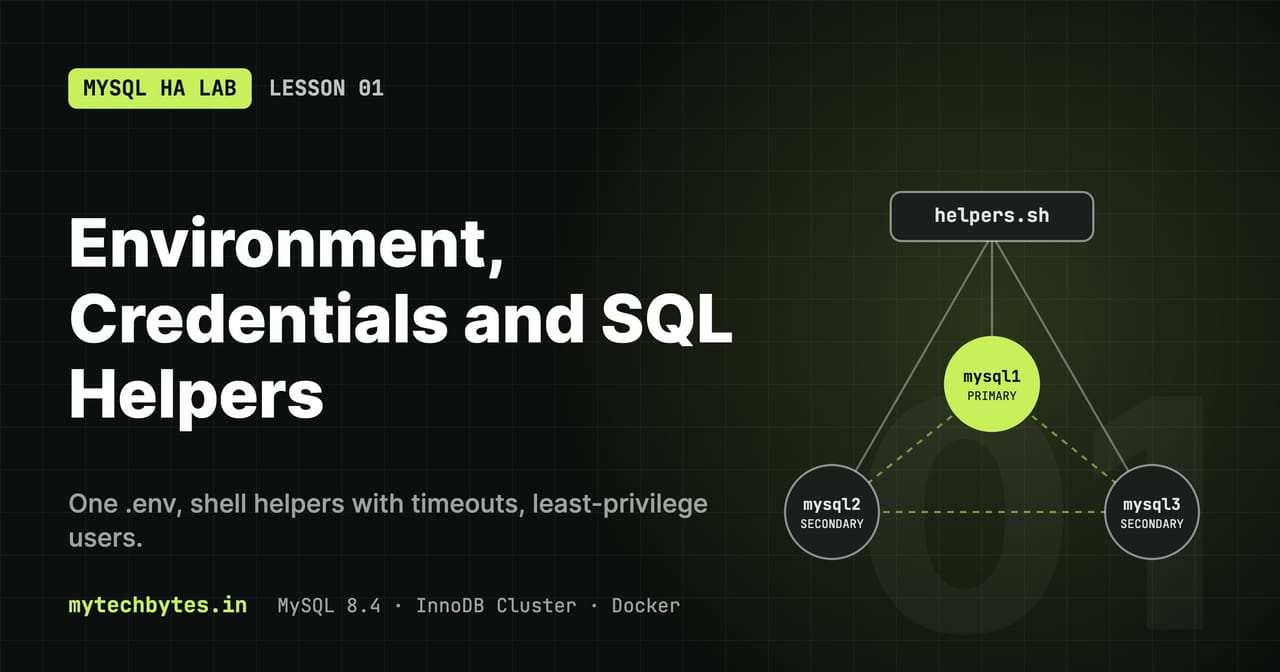
Everything in the lessons runs as plain SQL through the mysql client, with users and passwords taken from .env. One command per terminal sets it up: source scripts/helpers.sh.
.env: all names and credentials
Docker Compose reads .env automatically and substitutes ${VARIABLE} in docker-compose.yml. Create it from the template:
cp .env.example .env # then set real passwords; .env is git-ignored
| Variable | Used by | Purpose |
|---|---|---|
MYSQL_ROOT_PASSWORD | MySQL image, cluster-init, monitoring-init, mroot | Password of root@'%' on every node. Set only when the data volume is first created; changing it later does not change the existing password. |
CLUSTER_ADMIN | cluster-init, routers, mysqlsh | Name of the cluster administration account that dba.configureInstance() creates |
CLUSTER_ADMIN_PASSWORD | same | Its password |
CLUSTER_NAME | cluster-init | Name passed to dba.createCluster() |
NETWORK_CLUSTER_NAME | Compose network, helpers | Real Docker network name, so docker run --network ... can join it |
APP_USER / APP_PASSWORD | m, w, tx | Least-privilege account for test data in app.* |
EXPORTER_USER / EXPORTER_PASSWORD | monitoring-init, exporters | Read-only account for metrics (Lesson 4) |
GRAFANA_ADMIN_PASSWORD | Grafana | Password of the Grafana admin login |
LABAPP_SPRINGBOOT_IMAGE / LABAPP_GO_IMAGE | Compose labapp-* services | Image names for the lab apps (Lesson 8) |
LABAPP_SPRINGBOOT_DB_USER / _PASSWORD | labapp-springboot | Its own account, only on schema labapp_springboot |
LABAPP_GO_DB_USER / _PASSWORD | labapp-go | Its own account, only on schema labapp_go |
scripts/helpers.sh: one command per terminal
All tests use a few shell functions. They live in scripts/helpers.sh; load it in every new terminal (bash or zsh):
source scripts/helpers.sh
helpers: client.cnf generated from .env
helpers: loaded (user=app, network=mySqlClusterNetwork, timeout=15s). Run 'mhelp' for the list.
What it does when loaded:
| Step | Detail |
|---|---|
| Finds the project folder | From the script's own location, so it works from any directory |
Loads .env | set -a; . .env; set +a exports every variable ($APP_USER, $NETWORK_CLUSTER_NAME, ...) to your shell |
Generates client.cnf | Only if it's missing or .env is newer, so a changed password is picked up automatically |
| zsh | Turns on interactivecomments, so pasted blocks with # comments work |
| Defines the functions | Table below |
The functions
| Function | What it does | Example |
|---|---|---|
m ... | mysql as the app user through the load balancer (mysql-router:6446) | m -e "SELECT 1" |
mroot ... | mysql as root; add -h mysqlN -P 3306 to talk to one node directly, bypassing the routers | mroot -h mysql2 -P 3306 -e "SELECT @@server_id" |
q [port] | Hostname of the node that answers: 6446 = primary, 6447 = a secondary | q 6447 |
w "SQL" | Runs SQL on the primary as the app user | w "SELECT COUNT(*) FROM app.t" |
tx N | One test insert; prints OK with the committing node, or FAIL with the error | tx 1 |
txloop | Endless tx loop, appended to tx.log (Ctrl+C to stop) | txloop |
members [node] | Group membership as one node sees it (default mysql1) | members mysql2 |
mstatus [node] | Full cluster status from MySQL Shell | mstatus mysql2 |
mclean | Kills helper containers that are still running (stuck calls) | mclean |
mhelp | Prints this list |
How a call works
flowchart LR
    env[".env"] -->|"source scripts/helpers.sh"| sh["Your shell<br/>variables + functions"]
    env --> cnf["client.cnf<br/>generated, git-ignored"]
    sh -->|"m / w / tx"| ctr["Throwaway mysql:8.4 container<br/>--rm · label mysql-ha.client=1"]
    cnf -. "mounted read-only" .-> ctr
    ctr -->|"connect-timeout 5 s · timeout 15 s"| lb["mysql-router:6446<br/>HAProxy"]
    lb --> rt["MySQL Router"]
    rt --> pri[("PRIMARY")]
How one helper call reaches the database: credentials come from .env, the call runs in a throwaway container with two timeouts.
Every m/mroot call runs a throwaway mysql:8.4 container on the cluster network:
docker run --rm --label mysql-ha.client=1 --network "$NETWORK_CLUSTER_NAME" \
  -v "$MH_DIR/client.cnf:/client.cnf:ro" mysql:8.4 \
  timeout "$MH_TIMEOUT" mysql --defaults-extra-file=/client.cnf --connect-timeout=5 ...
| Part | Why |
|---|---|
--rm | Container is deleted when the command ends |
--label mysql-ha.client=1 | Marks helper containers, so mclean can find stuck ones without touching the cluster's own containers |
--network | Joins the cluster network, so mysql-router and mysql1..3 resolve. Works even when a node is down. |
-v client.cnf | The login file, read-only |
--defaults-extra-file | Must be the first mysql option; --defaults-group-suffix=_root (in mroot) right after it |
--connect-timeout=5 | Gives up if a connection can't be opened in 5s |
timeout $MH_TIMEOUT | Kills the call after 15s (default) even if it hangs after connecting |
Why the timeouts matter. docker kill removes a node without closing its connections. A call that starts during a failover can be handed a connection to the dead primary and wait for an answer that never comes: the mysql client has no time limit by default, and HAProxy keeps idle connections for an hour (timeout client/server 1h). Without a timeout, one stuck tx freezes the whole loop even though the cluster has long failed over. Real applications avoid this the same way: connection pools set connect and socket timeouts. Change the limit with MH_TIMEOUT=30 before calls that run longer.
client.cnf
Generated by helpers.sh (git-ignored). Never put passwords on a command line: mysql -p<password> prints "Using a password on the command line interface can be insecure".
[client]                 # default login: app user, through the load balancer
user=app
password=...
host=mysql-router
port=6446

[client_root]            # read in addition when --defaults-group-suffix=_root is given
user=root
password=...
| Line | Meaning |
|---|---|
[client] | Group read by every MySQL client program |
user, password | Login used when none is given on the command line |
host=mysql-router, port=6446 | Default target: HAProxy's read/write port (Lesson 5). Override with -h/-P. |
[client_root] | Only read with --defaults-group-suffix=_root. Its user/password override [client], so one file serves both logins. |
For mysqlsh (used by mstatus) the password goes through standard input instead: echo "$CLUSTER_ADMIN_PASSWORD" | docker exec -i mysql1 mysqlsh --passwords-from-stdin ....
Database users
| Account | Purpose | Privileges | Created by |
|---|---|---|---|
root | Setup only | Everything | MySQL image (MYSQL_ROOT_PASSWORD, MYSQL_ROOT_HOST=%) |
clusteradmin | Cluster management | Group Replication, clone, metadata, user creation. No rights on application data. | dba.configureInstance() in cluster-init |
exporter | Read-only metrics | PROCESS, REPLICATION CLIENT, SELECT on *.* | monitoring-init (Lesson 4) |
app | Test data | SELECT, INSERT, UPDATE, DELETE, CREATE, DROP, INDEX, ALTER on app.* only | cluster-init (automatic) |
labapp_springboot | Spring Boot lab app | Same rights, on labapp_springboot.* only | cluster-init (automatic) |
labapp_go | Go lab app | Same rights, on labapp_go.* only | cluster-init (automatic) |
clusteradmin can create the app database but gets ERROR 1142 ... INSERT command denied when writing to it. That's intended: data gets its own least-privilege account.
Users are created once, on the primary (through the router on port 6446). Group Replication copies them to every node.
Application users: created automatically
cluster-init creates every application schema and user at the end of each run (scripts/init-cluster.js, step 5), with the names and passwords from .env:
| Schema | User (from .env) | Used by |
|---|---|---|
app (+ table app.t) | APP_USER / APP_PASSWORD | shell helpers m, w, tx, txloop |
labapp_springboot | LABAPP_SPRINGBOOT_DB_USER / _PASSWORD | Spring Boot lab app |
labapp_go | LABAPP_GO_DB_USER / _PASSWORD | Go lab app |
It is safe to repeat: missing schemas and users are created, existing passwords are re-synced with .env. After changing a password in .env, just run it again:
docker compose up -d cluster-init
docker logs --tail 100 -f cluster-init      # "App account ...: user ... ready"
A variable missing from .env is reported as skipped. The log line App accounts NOT created means the cluster had no primary at that moment; run it again.
Manual fallback: create the app user and the test table
Only needed if cluster-init could not do it. Once the cluster is running (Lesson 2):
mroot -e "
  CREATE DATABASE IF NOT EXISTS app;
  CREATE USER IF NOT EXISTS '$APP_USER'@'%' IDENTIFIED BY '$APP_PASSWORD';
  ALTER USER '$APP_USER'@'%' IDENTIFIED BY '$APP_PASSWORD';
  GRANT SELECT, INSERT, UPDATE, DELETE, CREATE, DROP, INDEX, ALTER ON app.* TO '$APP_USER'@'%';"

w "CREATE TABLE IF NOT EXISTS app.t (id INT AUTO_INCREMENT PRIMARY KEY, v INT, created_at TIMESTAMP DEFAULT CURRENT_TIMESTAMP)"
ALTER USERmakes the command safe to rerun: it resyncs the password with.env.- Every table needs a primary key; Group Replication rejects writes to tables without one.
Verify
w "SELECT @@hostname, CURRENT_USER()"     # primary's name, app@%
tx 1                                      # OK ... node=<primary>
Manual fallback: create the lab app users
Normally done by cluster-init (above). Each lab app (Lesson 8) gets its own schema and its own user, so their data, connections and grants never mix with each other or with the app schema of the helpers. The apps create their tables themselves at startup.
mroot -e "
  CREATE DATABASE IF NOT EXISTS labapp_springboot;
  CREATE USER IF NOT EXISTS '$LABAPP_SPRINGBOOT_DB_USER'@'%' IDENTIFIED BY '$LABAPP_SPRINGBOOT_DB_PASSWORD';
  ALTER USER '$LABAPP_SPRINGBOOT_DB_USER'@'%' IDENTIFIED BY '$LABAPP_SPRINGBOOT_DB_PASSWORD';
  GRANT SELECT, INSERT, UPDATE, DELETE, CREATE, DROP, INDEX, ALTER ON labapp_springboot.* TO '$LABAPP_SPRINGBOOT_DB_USER'@'%';

  CREATE DATABASE IF NOT EXISTS labapp_go;
  CREATE USER IF NOT EXISTS '$LABAPP_GO_DB_USER'@'%' IDENTIFIED BY '$LABAPP_GO_DB_PASSWORD';
  ALTER USER '$LABAPP_GO_DB_USER'@'%' IDENTIFIED BY '$LABAPP_GO_DB_PASSWORD';
  GRANT SELECT, INSERT, UPDATE, DELETE, CREATE, DROP, INDEX, ALTER ON labapp_go.* TO '$LABAPP_GO_DB_USER'@'%';"

mroot -e "SELECT user, host FROM mysql.user WHERE user LIKE 'labapp%'"
Which app holds which connections, per node (both apps set program_name as a connection attribute):
for n in mysql1 mysql2 mysql3; do
  mroot -h $n -P 3306 -N -e "SELECT @@hostname, ATTR_VALUE, COUNT(*) FROM performance_schema.session_connect_attrs
                             WHERE ATTR_NAME = 'program_name' AND ATTR_VALUE LIKE 'labapp%' GROUP BY ATTR_VALUE"
done
Transaction loop
sequenceDiagram
    participant L as txloop
    participant C as Helper container
    participant H as HAProxy / Router
    participant P as Primary
    loop every second
        L->>C: tx N (new connection)
        C->>H: INSERT INTO app.t
        alt primary available
            H->>P: forward
            P-->>C: OK
            C-->>L: OK node=mysql2 id=...
        else no primary (failover)
            H--xC: ERROR 2003 / 2013
            C-->>L: FAIL
        else connection hangs
            C--xL: killed by timeout after 15 s
        end
    end
Each txloop iteration opens a new connection, so the loop survives a failover and reports exactly when writes stopped and resumed.
Used throughout the failover and router tests:
txloop
10:12:01  OK    #41     node=mysql2  id=1841
10:12:02  OK    #42     node=mysql2  id=1842
10:12:03  FAIL  #43     ERROR 2003 (HY000): Can't connect to remote MySQL server
10:12:18  FAIL  #44     ERROR timeout after 15s
10:12:19  OK    #45     node=mysql1  id=1849
Each tx opens a new connection, so the loop keeps running through a failover: FAIL while there is no primary, then OK with the new node=. Results are appended to tx.log (git-ignored). Stop with Ctrl+C, then:
grep -c ' OK ' tx.log; grep -c ' FAIL ' tx.log      # successes / failures
grep ' FAIL ' tx.log                                 # what failed and why
: > tx.log                                           # empty the log before the next test
The MySQL HA Lab series
- Series introduction
- Lesson 1: Environment and SQL helpers (you are here)
- Lesson 2: A self-bootstrapping InnoDB Cluster
- Lesson 3: Failover, quorum and recovery
- Lesson 4: Monitoring with Prometheus and Grafana
- Lesson 5: Highly available routing with HAProxy
- Lesson 6: Stale reads and read/write splitting
- Lesson 7: Failover tuning, switchover and partitions
- Lesson 8: A Spring Boot app that survives failover
- Lesson 9: The same app in Go
- Bonus: Bonus: Operations and troubleshooting
All code is on GitHub: mytechbytes/mysql-ha-lab. Questions or a different result in your lab? Leave a comment below.