Reading about high availability is easy. Watching your writes stop for 25 seconds while a primary dies, finding out where those seconds went, and getting them down to 6 is how it actually sticks.
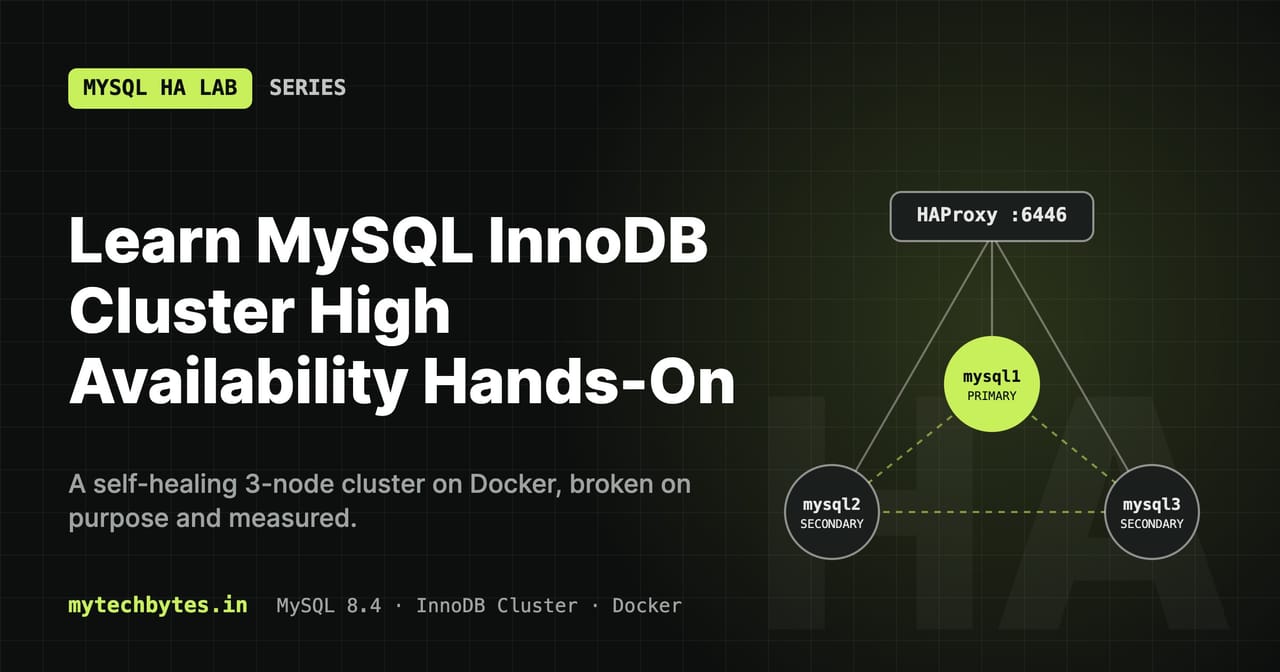
This series is a hands-on lab for MySQL 8.4 InnoDB Cluster that runs entirely on your laptop with Docker Compose. Every lesson changes a few files, explains them setting by setting, and then breaks something on purpose: kill the primary, cut a node off the network, stall a secondary, crash a router. You measure what clients see, and then fix it.
What you will build
flowchart TB
    clients(["Clients"])
    subgraph LB["HAProxy (container: mysql-router)"]
        haproxy["HAProxy<br/>:6446 R/W · :6447 R/O · :6450 R/W split<br/>stats :8404"]
    end
    subgraph Routers["MySQL Router 8.4"]
        r1["mysql-router1"]
        r2["mysql-router2"]
    end
    subgraph GR["InnoDB Cluster: Group Replication"]
        direction LR
        m1["mysql1<br/>PRIMARY"]
        m2["mysql2<br/>SECONDARY"]
        m3["mysql3<br/>SECONDARY"]
        m1 <--> m2
        m2 <--> m3
    end
    subgraph Apps["Lab applications"]
        sb["labapp-springboot :8080"]
        go["labapp-go :8090"]
    end
    subgraph Mon["Monitoring"]
        exp["mysqld-exporter ×3"]
        prom["Prometheus :9090"]
        graf["Grafana :3000"]
    end
    clients --> haproxy
    Apps --> haproxy
    haproxy -- "health checks" --> r1
    haproxy -- "health checks" --> r2
    r1 & r2 -- "writes → primary" --> m1
    r1 & r2 -. "reads → secondaries" .-> m2
    r1 & r2 -. "reads → secondaries" .-> m3
    exp -- "one per node, direct" --> GR
    prom -- "scrape" --> exp
    prom -- "scrape :8404/metrics" --> haproxy
    prom -- "scrape /metrics" --> Apps
    graf --> prom
Lab architecture: clients reach the cluster through HAProxy and two MySQL Routers; Prometheus and Grafana watch every layer.
- A 3-node InnoDB Cluster that builds itself: one
docker compose up -dstarts the nodes, creates the cluster, adds the members and starts the routers. Running it again is safe: it recovers from a full outage and re-adds missing nodes. - Two MySQL Routers behind HAProxy, so losing a router doesn't cut clients off.
- Prometheus and Grafana with six provisioned dashboards, from "is everything OK?" down to a second-by-second failover timeline.
- Two applications, in Spring Boot and in Go, that survive a failover without a single failed request.
One write, end to end
sequenceDiagram
    autonumber
    participant C as Client
    participant H as HAProxy :6446
    participant R as MySQL Router
    participant P as mysql1 (PRIMARY)
    participant S as mysql2 + mysql3
    C->>H: connect, INSERT
    H->>R: forward TCP to a healthy router
    R->>P: route to the current primary
    P->>S: send transaction for certification
    S-->>P: majority agrees
    P-->>R: COMMIT OK
    R-->>H: OK
    H-->>C: OK
    S->>S: apply in the background (may lag)
What happens to a single INSERT: the commit waits for a majority to agree, but the secondaries apply it in the background.
The lessons
| # | Lesson | You learn |
|---|---|---|
| 1 | Environment and SQL helpers | .env, shell helpers, timeouts, database users, a transaction loop |
| 2 | A self-bootstrapping InnoDB Cluster | Group Replication, node config, an idempotent AdminAPI bootstrap |
| 3 | Failover, quorum and recovery | Primary election, write downtime, quorum, how a node catches up |
| 4 | Monitoring with Prometheus and Grafana | mysqld-exporter, Prometheus, Grafana provisioning |
| 5 | Highly available routing with HAProxy | Router bootstrap, HAProxy health checks, router failure tests |
| 6 | Stale reads and read/write splitting | group_replication_consistency, router port 6450 |
| 7 | Failover tuning, switchover and partitions | setPrimaryInstance, memberWeight, expel timeout, split brain |
| 8 | A Spring Boot app that survives failover | Read/write pools, retry, idempotent writes, outage tracking |
| 9 | The same app in Go | database/sql pools, error classification, a shared metrics contract |
| Bonus | Operations and troubleshooting | Every command and every known problem with its fix |
More lessons are planned: alerting, load testing with sysbench, backups and point-in-time recovery, then rolling upgrades, multi-primary mode and ClusterSet.
How to follow along
All code is on GitHub: mytechbytes/mysql-ha-lab. Each lesson has its own branch holding the repository as it was at the end of that lesson; main has everything.
- Start on
mainand follow the lessons in order. Each one ends with tests you run yourself. - Use two terminals: one runs a transaction loop or an app's load generator, the other breaks something.
- Run
source scripts/helpers.shin every new terminal. It loads.env, writes the MySQL login file and defines the SQL helpers (mhelplists them). Credentials never go on the command line. - Before each lesson, make sure all three members are
ONLINE(mstatus).
Requirements: Docker Desktop or Docker Engine with Compose v2, about 3 GB of free RAM (4 GB with both apps), and jq. The apps also need Java 25 and Maven, or Go, if you run them outside Docker.
Quick start
git clone https://github.com/mytechbytes/mysql-ha-lab.git && cd mysql-ha-lab
cp .env.example .env                      # then set every password and user
chmod 644 conf/*.cnf scripts/* .env
chmod -R a+rX monitoring haproxy

docker compose --profile monitoring up -d
docker logs --tail 100 -f cluster-init    # wait for the cluster status JSON

source scripts/helpers.sh
mstatus                                   # "status": "OK", 3 members ONLINE
| URL | What |
|---|---|
localhost:6446 / 6447 / 6450 | MySQL read/write / read-only / read-write splitting, through HAProxy |
| http://localhost:8404/stats | HAProxy: router health and sessions |
| http://localhost:9090 | Prometheus |
| http://localhost:3000 | Grafana → MySQL HA dashboards |
Start with Lesson 1: Environment and SQL helpers.
The MySQL HA Lab series
- Series introduction (you are here)
- Lesson 1: Environment and SQL helpers
- Lesson 2: A self-bootstrapping InnoDB Cluster
- Lesson 3: Failover, quorum and recovery
- Lesson 4: Monitoring with Prometheus and Grafana
- Lesson 5: Highly available routing with HAProxy
- Lesson 6: Stale reads and read/write splitting
- Lesson 7: Failover tuning, switchover and partitions
- Lesson 8: A Spring Boot app that survives failover
- Lesson 9: The same app in Go
- Bonus: Operations and troubleshooting
All code is on GitHub: mytechbytes/mysql-ha-lab. Questions or a different result in your lab? Leave a comment below.