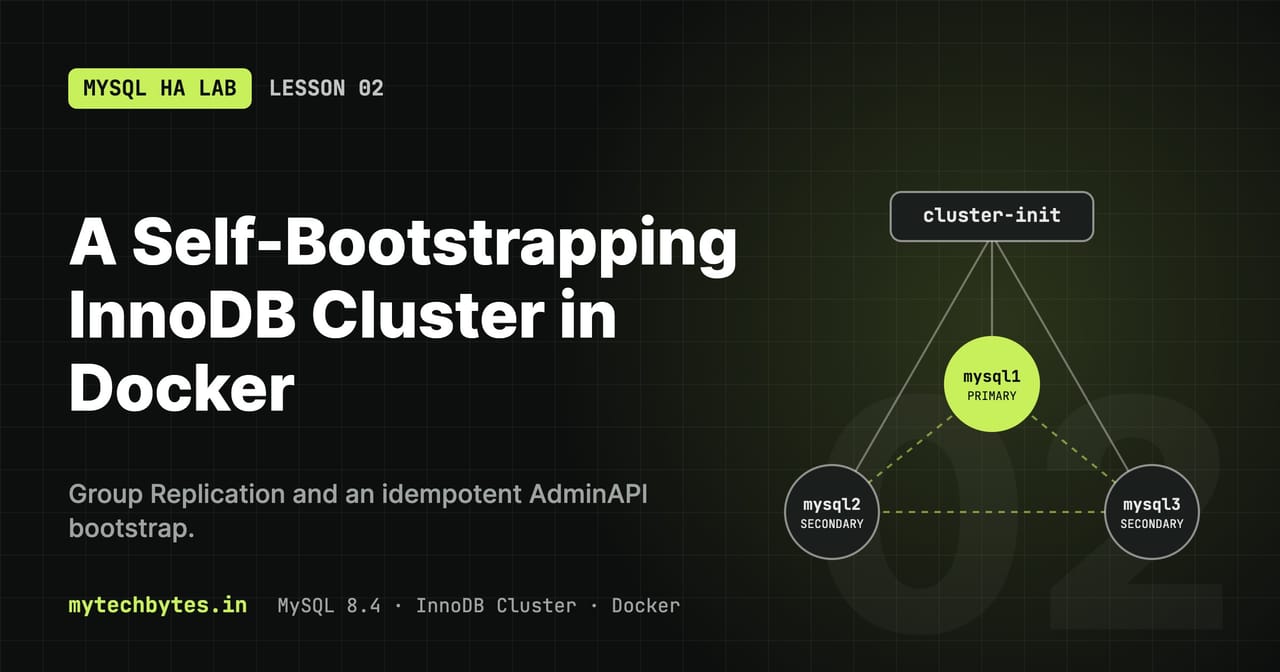
01-cluster-setup on GitHub. Previous: Lesson 1: Environment and SQL helpers.A 3-node MySQL 8.4 InnoDB Cluster that builds itself: one docker compose up -d starts the nodes, creates the cluster and adds the members, with no manual mysqlsh steps.
Concepts
| Term | Meaning |
|---|---|
| Group Replication (GR) | MySQL plugin that keeps a group of servers in sync. Every transaction is agreed by a majority (Paxos-based consensus) before it commits. |
| InnoDB Cluster | Group Replication + MySQL Shell's AdminAPI (dba.*) to manage it + MySQL Router to route clients |
| Single-primary mode | One node (PRIMARY) accepts writes; the others (SECONDARY) are read-only. If the primary fails, a new one is elected. This lab's default. |
| Quorum | A majority must be reachable. 3 nodes survive 1 failure; 5 nodes survive 2. Without quorum, writes block. This prevents split-brain. |
| GTID | Global transaction ID. Every transaction gets one, so each node knows exactly which transactions it has. |
| Clone | Copies a full physical snapshot from another member, used to provision a new or far-behind node |
Files in this lesson
docker-compose.yml        # x-mysql anchor, mysql1..3, cluster-init, network, volumes
conf/common.cnf           # settings shared by all nodes
conf/mysql1.cnf ..3.cnf   # per-node identity
scripts/init-cluster.sh   # waits for the nodes, then runs the JS
scripts/init-cluster.js   # idempotent bootstrap with the AdminAPI
.env / .env.example       # see Lesson 1
docker-compose.yml: the nodes
x-mysql: &mysql
  image: mysql:8.4
  restart: unless-stopped
  environment:
    MYSQL_ROOT_PASSWORD: ${MYSQL_ROOT_PASSWORD}
    MYSQL_ROOT_HOST: "%"
  networks: [cluster]
| Key | Meaning |
|---|---|
x-mysql: &mysql | A YAML anchor: shared settings, merged into each node with <<: *mysql. Keys starting with x- are ignored by Compose. |
image: mysql:8.4 | MySQL 8.4 LTS. The image also contains MySQL Shell (mysqlsh). |
restart: unless-stopped | Required. Adding a node with clone restarts mysqld; in a container that stops the container, and Docker must start it again so addInstance() can finish. Also restarts nodes after a crash. A manual docker stop is respected. |
MYSQL_ROOT_PASSWORD | Root password, applied only when the data volume is first initialized |
MYSQL_ROOT_HOST: "%" | Creates root@'%', so root can log in from other containers (cluster-init, mroot) |
networks: [cluster] | Joins the shared network (key cluster, defined at the bottom) |
  mysql1:
    <<: *mysql
    container_name: mysql1
    hostname: mysql1
    volumes:
      - mysql1:/var/lib/mysql
      - ./conf/common.cnf:/etc/mysql/conf.d/01-common.cnf:ro
      - ./conf/mysql1.cnf:/etc/mysql/conf.d/02-node.cnf:ro
| Key | Meaning |
|---|---|
container_name | Fixed name for docker exec, docker kill, logs |
hostname | The name other containers resolve. Must match report_host. |
mysql1:/var/lib/mysql | Named volume with the data directory. Survives down; deleted by down -v. Also holds mysqld-auto.cnf (see below). |
.../01-common.cnf / 02-node.cnf | Config files mounted read-only into conf.d/, which MySQL reads in alphabetical order: node settings (02-) override common ones (01-). |
networks:
  cluster:
    name: ${NETWORK_CLUSTER_NAME}
    attachable: true
volumes:
  mysql1: {}
  ...
| Key | Meaning |
|---|---|
cluster: | The key services refer to (networks: [cluster]) |
name: | The real Docker network name. Without it Compose would use <project>_cluster. A fixed name lets docker run --network "$NETWORK_CLUSTER_NAME" join it. |
attachable: true | Allows standalone docker run containers to join. Required for overlay networks; harmless on a bridge network. |
volumes: | Declares the named volumes; {} = default local driver |
conf/common.cnf: settings for every node
[mysqld]
gtid_mode                 = ON
enforce_gtid_consistency  = ON
log_bin                   = binlog
log_replica_updates       = ON
binlog_checksum           = NONE
disabled_storage_engines  = "MyISAM,BLACKHOLE,FEDERATED,ARCHIVE,MEMORY"
innodb_buffer_pool_size   = 256M
max_connections           = 200
character_set_server      = utf8mb4
collation_server          = utf8mb4_0900_ai_ci
| Setting | Why |
|---|---|
gtid_mode = ON | Every transaction gets a GTID. Required by Group Replication; also how a rejoining node knows what it's missing. |
enforce_gtid_consistency = ON | Rejects statements that can't be logged safely with GTIDs (e.g. CREATE TABLE ... SELECT). Required with gtid_mode = ON. |
log_bin = binlog | Binary log, base name binlog. Replication and incremental recovery read from it. (On by default in 8.4; explicit here.) |
log_replica_updates = ON | A secondary also writes the changes it applies to its own binlog, so any node can be a donor for recovery. (Default in 8.x.) |
binlog_checksum = NONE | Group Replication before 8.0.21 required it. 8.4 also supports the default CRC32; kept for compatibility. |
disabled_storage_engines | Group Replication only works with InnoDB (transactional, row-level). Blocks creating tables in engines that would silently break replication. |
innodb_buffer_pool_size = 256M | InnoDB's memory cache. Small for a laptop lab; production usually 50–75% of RAM. |
max_connections = 200 | Upper limit of client connections per node |
character_set_server, collation_server | Full Unicode (utf8mb4) by default |
conf/mysqlN.cnf: node identity
[mysqld]
server_id   = 1
report_host = mysql1
| Setting | Why |
|---|---|
server_id | Unique number per node. Replication uses it to tell servers apart; duplicates break the group. |
report_host | The address this node advertises to the group and the cluster metadata. Others must be able to resolve it, so it equals the container hostname. |
What is not in the .cnf files
AdminAPI configures Group Replication itself (group_replication_group_name, local_address, group_seeds, start_on_boot, ...) with SET PERSIST, stored in mysqld-auto.cnf inside the data volume. Don't put these in your .cnf files; they would conflict with what AdminAPI manages.
File permissions
MySQL silently ignores config files it can't read or that are world-writable:
chmod 644 conf/*.cnf scripts/*
Check that they were loaded: mroot -h mysql2 -P 3306 -e "SELECT @@server_id, @@report_host" → 2 mysql2. NULL means the file was skipped.
cluster-init: the bootstrap container
  cluster-init:
    image: mysql:8.4
    container_name: cluster-init
    restart: "no"
    depends_on: [mysql1, mysql2, mysql3]
    entrypoint: ["bash", "/scripts/init-cluster.sh"]
    environment:
      MYSQL_ROOT_PASSWORD: ${MYSQL_ROOT_PASSWORD}
      CLUSTER_ADMIN: ${CLUSTER_ADMIN}
      CLUSTER_ADMIN_PASSWORD: ${CLUSTER_ADMIN_PASSWORD}
      CLUSTER_NAME: ${CLUSTER_NAME}
    volumes:
      - ./scripts:/scripts:ro
    networks: [cluster]
| Key | Meaning |
|---|---|
image: mysql:8.4 | Reused only for its mysqlsh and mysqladmin; no server runs in it |
restart: "no" | One-shot: runs, exits, stays exited. Routers wait for it to exit with code 0 (service_completed_successfully). |
depends_on: [mysql1, mysql2, mysql3] | Starts after the node containers start, not when MySQL is ready. The script waits for readiness itself. |
entrypoint | Replaces the image's server entrypoint with the bootstrap script |
environment | Credentials and cluster name from .env, read by the script |
./scripts:/scripts:ro | Mounts the scripts read-only |
It runs on every docker compose up, and the script is idempotent (safe to rerun).
scripts/init-cluster.sh
set -e
for h in mysql1 mysql2 mysql3; do
  until mysqladmin ping -h "$h" -uroot -p"$MYSQL_ROOT_PASSWORD" --silent 2>/dev/null; do
    echo "Waiting for $h..."; sleep 3
  done
done
export LC_ALL=C.UTF-8 LANG=C.UTF-8
mysqlsh --no-wizard --js --uri "root:${MYSQL_ROOT_PASSWORD}@mysql1:3306" --file /scripts/init-cluster.js
| Line | Why |
|---|---|
set -e | Stop on the first failed command, so the container exits non-zero and the routers don't start |
mysqladmin ping -h "$h" loop | Waits until each node accepts TCP connections. The image's first-start temporary server runs with --skip-networking, so this only succeeds once the real server is up. |
export LC_ALL=C.UTF-8 | Avoids the Cannot set LC_ALL to locale en_US.UTF-8 warning |
--no-wizard | Non-interactive: never prompts; fails instead of asking |
--js | Runs the file as JavaScript |
--uri "root:...@mysql1:3306" | Starts with an explicit remote session. Without it, mysqlsh may try the local socket /var/run/mysqld/mysqld.sock, which doesn't exist in this container. |
--file | The script to run |
scripts/init-cluster.js
flowchart TD
    start(["docker compose up"]) --> wait["init-cluster.sh<br/>wait for mysql1..3 (mysqladmin ping)"]
    wait --> cfg{"Admin login works<br/>on each node?"}
    cfg -- no --> conf["dba.configureInstance()<br/>creates the cluster admin"]
    cfg -- yes --> get
    conf --> get{"dba.getCluster()<br/>succeeds?"}
    get -- yes --> rec
    get -- no --> meta{"Cluster metadata<br/>on disk?"}
    meta -- yes --> reboot["rebootClusterFromCompleteOutage()"]
    meta -- no --> create["createCluster(NAME)"]
    reboot --> rec
    create --> rec["Reconcile members"]
    rec --> miss{"Each member"}
    miss -- missing --> add["addInstance (clone)"]
    miss -- "not ONLINE" --> rejoin["rejoinInstance()"]
    miss -- ONLINE --> tune
    add --> tune
    rejoin --> tune["Step 4: failover tuning"]
    tune --> users["Step 5: app schemas and users"]
    users --> done(["exit 0: routers may start"])
The decision logic of init-cluster.js: every run converges to a healthy three-member cluster, whatever state it starts from.
Step 1: configure each node once
for (const h of NODES) {
  try {
    shell.connect(`${ADM}:${ADM_PW}@${h}:3306`);       // admin exists → already configured
  } catch (e) {
    dba.configureInstance(`root:${ROOT_PW}@${h}:3306`, {
      clusterAdmin: ADM, clusterAdminPassword: ADM_PW, restart: false
    });
  }
}
dba.configureInstance() checks the server settings, fixes what it can (e.g. persists parallel applier settings), and creates the cluster admin account. If logging in as that admin already works, the node was configured before and is skipped. restart: false because the .cnf files already contain everything that needs a restart.
Step 2: find, reboot, or create the cluster
shell.connect(`${ADM}:${ADM_PW}@mysql1:3306`);
try {
  cluster = dba.getCluster();                          // group is running
} catch (e) {
  // is there cluster metadata on disk?
  hasMetadata ? dba.rebootClusterFromCompleteOutage()  // all nodes were down together
              : dba.createCluster(NAME);               // fresh volumes
}
| Situation | Detected by | Action |
|---|---|---|
| Group running | getCluster() succeeds | Use it |
| All nodes stopped together (full outage) | getCluster() fails, but schema mysql_innodb_cluster_metadata exists | rebootClusterFromCompleteOutage(): picks the member with the highest GTID set as seed, rejoins the rest |
| Brand-new volumes | No metadata schema | createCluster(NAME) on mysql1 |
Step 3: reconcile members
const topo = cluster.status().defaultReplicaSet.topology;
for (const h of NODES) {
  if (!topo[`${h}:3306`])                 cluster.addInstance(..., { recoveryMethod: 'clone' });
  else if (topo[...].status !== 'ONLINE') cluster.rejoinInstance(...);
}
Missing nodes are added with clone (a full copy of an existing member); members that exist but aren't ONLINE are rejoined.
Step 4: failover tuning (added in Lesson 7): sets expelTimeout, autoRejoinTries and unreachable_majority_timeout on every run. See 7.5.
Step 5: application accounts (added in Lesson 8): creates the schemas and users app, labapp_springboot, labapp_go from .env on the primary, and the helpers' test table app.t. See Setup → Application users.
| Run | Result |
|---|---|
down -v then up -d | Cluster built from scratch |
stop then start / up -d | Full outage detected, cluster rebooted |
up -d on a healthy cluster | Nothing changes |
| A node was wiped or removed | Re-added with clone |
"Errant GTIDs" warning on a fresh build
WARNING: ... 'mysql2:3306' ... contains transactions that do not originate from the cluster
Expected. The image's first-start setup (creating root@'%', timezone tables) writes a few transactions on every node before the cluster exists. Clone overwrites them with the primary's data; that's why recoveryMethod: 'clone' is used.
Run it
sequenceDiagram
    participant D as Docker Compose
    participant N as mysql1..3
    participant I as cluster-init
    participant R as Routers
    D->>N: start node containers
    D->>I: start (nodes started, not ready)
    loop until TCP answers
        I->>N: mysqladmin ping
    end
    I->>N: configureInstance (each node)
    I->>N: createCluster on mysql1
    I->>N: addInstance mysql2, mysql3 (clone)
    N->>N: clone restarts mysqld, Docker restarts the container
    N-->>I: all members ONLINE
    I-->>D: exit 0
    D->>R: start routers (service_completed_successfully)
Startup order: the routers only start once cluster-init has exited successfully.
chmod 644 conf/*.cnf scripts/* .env
docker compose up -d
docker logs --tail 100 -f cluster-init       # wait for the JSON status at the end
Then load the helpers (Lesson 1) and check:
source scripts/helpers.sh
# each node loaded its config (expect 1 mysql1 / 2 mysql2 / 3 mysql3)
for n in mysql1 mysql2 mysql3; do mroot -h $n -P 3306 -N -e "SELECT @@server_id, @@report_host"; done

# group membership: 3 rows, all ONLINE, one PRIMARY
members

# full status from MySQL Shell: "can tolerate up to ONE failure"
mstatus
Useful AdminAPI commands (inside mysqlsh, after var c = dba.getCluster()):
| Task | Command |
|---|---|
| Health check | c.status({extended: 1}) |
| Planned switchover | c.setPrimaryInstance('mysql2:3306') |
| Fix metadata issues | c.rescan() |
| Rejoin a node | c.rejoinInstance('mysql3:3306') |
| Remove a node | c.removeInstance('mysql3:3306') |
| Full outage recovery | dba.rebootClusterFromCompleteOutage() |
The MySQL HA Lab series
- Series introduction
- Lesson 1: Environment and SQL helpers
- Lesson 2: A self-bootstrapping InnoDB Cluster (you are here)
- Lesson 3: Failover, quorum and recovery
- Lesson 4: Monitoring with Prometheus and Grafana
- Lesson 5: Highly available routing with HAProxy
- Lesson 6: Stale reads and read/write splitting
- Lesson 7: Failover tuning, switchover and partitions
- Lesson 8: A Spring Boot app that survives failover
- Lesson 9: The same app in Go
- Bonus: Operations and troubleshooting
All code is on GitHub: mytechbytes/mysql-ha-lab. Questions or a different result in your lab? Leave a comment below.